
Automating gift cards after survey completion starts with your own completion, eligibility, and duplicate checks. Then connect the approved event to Giftronaut through Zapier or the Beta API, and reconcile every result before retrying.
A survey completion is an event. It is not, by itself, an instruction to send a reward. Your research or application team defines the approval rule, then passes only approved requests to the reward workflow.
Imagine a survey response reaching two reward triggers at once. I’d want one decision record before either workflow sends a reward.
How do you automate gift cards after survey completion?
Use five stages: verify completion, check eligibility, prevent duplicates, request the reward, and reconcile the result. The survey tool or your application should own the study-specific decisions; the selected reward integration processes the approved request.
- Verify completion. Use the survey platform’s completed status or equivalent event. Do not treat a page view, partial response, or abandoned session as completion.
- Check eligibility. Apply the study’s rules for response quality, geography, consent, participation limits, and any other conditions.
- Check duplicates. Search your reward ledger by a stable participant or response identifier. An email address alone is a weak duplicate key.
- Create one request record. Assign an internal request ID before sending the approved event to the integration.
- Reconcile the outcome. Store the order reference, delivery result, and redemption result when that status is available for the order.
Ask the study owner to document the eligibility rule before enabling automatic sends, including what happens when a response is incomplete, ineligible, duplicated, or unclear.
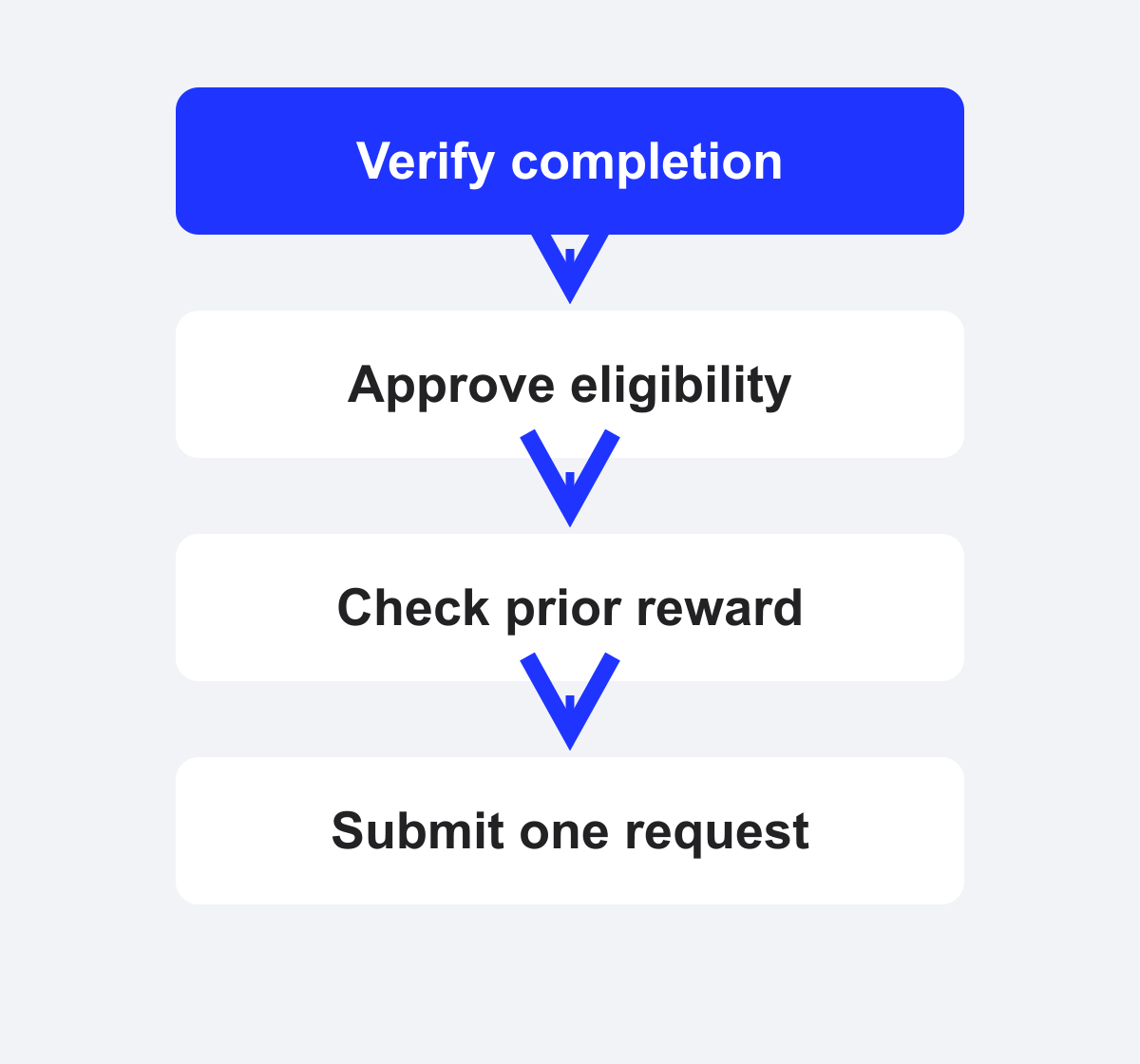
Survey completion alone does not authorize a second reward.
What should the event record contain?
An event record should contain enough information to connect one approved response to one reward request without copying unnecessary survey data into the integration.
| Record element | Purpose | Example |
|---|---|---|
| Response identifier | Connect the event to the study record | resp_opaque_8472 |
| Eligibility result | Show why the request was approved | eligible |
| Reward status | Prevent a second request | not_sent |
| Internal request ID | Trace the request across systems | req_opaque_001 |
The example is illustrative application logic, not a Giftronaut API schema. Confirm the current fields for the integration you choose before implementation.
Use a stable duplicate rule. For example, the study can allow one reward per approved response or one reward per participant during a defined study period. Record exceptions instead of silently sending another reward.
Which integration path fits the workflow?
Use the documented Zapier trigger and Send Reward action to connect a supported app event. According to the Giftronaut Help Center’s Zapier guidance (2026), the workflow uses a trigger and a “Send Reward” action with recipient and campaign details.
The same Help Center article describes approval for Zapier orders during testing. Teams can review test orders in the Pending Order List before deciding whether automatic processing is appropriate. Test orders use account funds, so treat testing as a controlled operational step.
Giftronaut (2026) provides a Beta API with a self-serve Developer Portal for sandbox and production apps. The API Help Center overview (2026) introduces the integration. Review the current documentation for authentication, request fields, returned results, and error handling. Do not infer those details from an illustrative event record.
| Workflow stage | Primary owner | Decision to document |
|---|---|---|
| Completion and eligibility | Research or application team | Which responses qualify? |
| Reward request | Sender’s integration | Which approved event starts the request? |
| Funding and account readiness | Finance or account owner | Is the account ready for the order? |
| Delivery follow-up | Sender and recipient-support owner | Who handles a bounce or correction? |
Choose the path that matches the systems your team already operates. The integration does not replace the study’s approval rule or its reward ledger.
For app-owned eligibility and request records, use the API workflow guide.

How should you handle retries and failures?
The sending application should define retry and exception rules because it can compare the reward request with the study ledger. A timeout is not proof that no order was created.
Use states such as not_sent, pending, sent, delivery_failed, unknown, and reconciled. These are recommended application states, not provider statuses or API fields.
- Ineligible response: route it to the researcher or study owner.
- Duplicate response: stop the new request and retain the existing reference.
- Funding problem: route it to finance or the account owner.
- Invalid recipient details: correct the address through the sender’s process before resending.
- Unknown result: pause the retry and reconcile the order first.
- Delivery failure: review the delivery result and follow the sender’s resend policy.
According to the Giftronaut Help Center’s resend guidance (2026), only the original sender can correct an email address and resend the reward. The original link remains valid after a corrected email resend.
Retry a confirmed failure only when the request is safe to repeat. Reconcile an unknown result before creating another request.
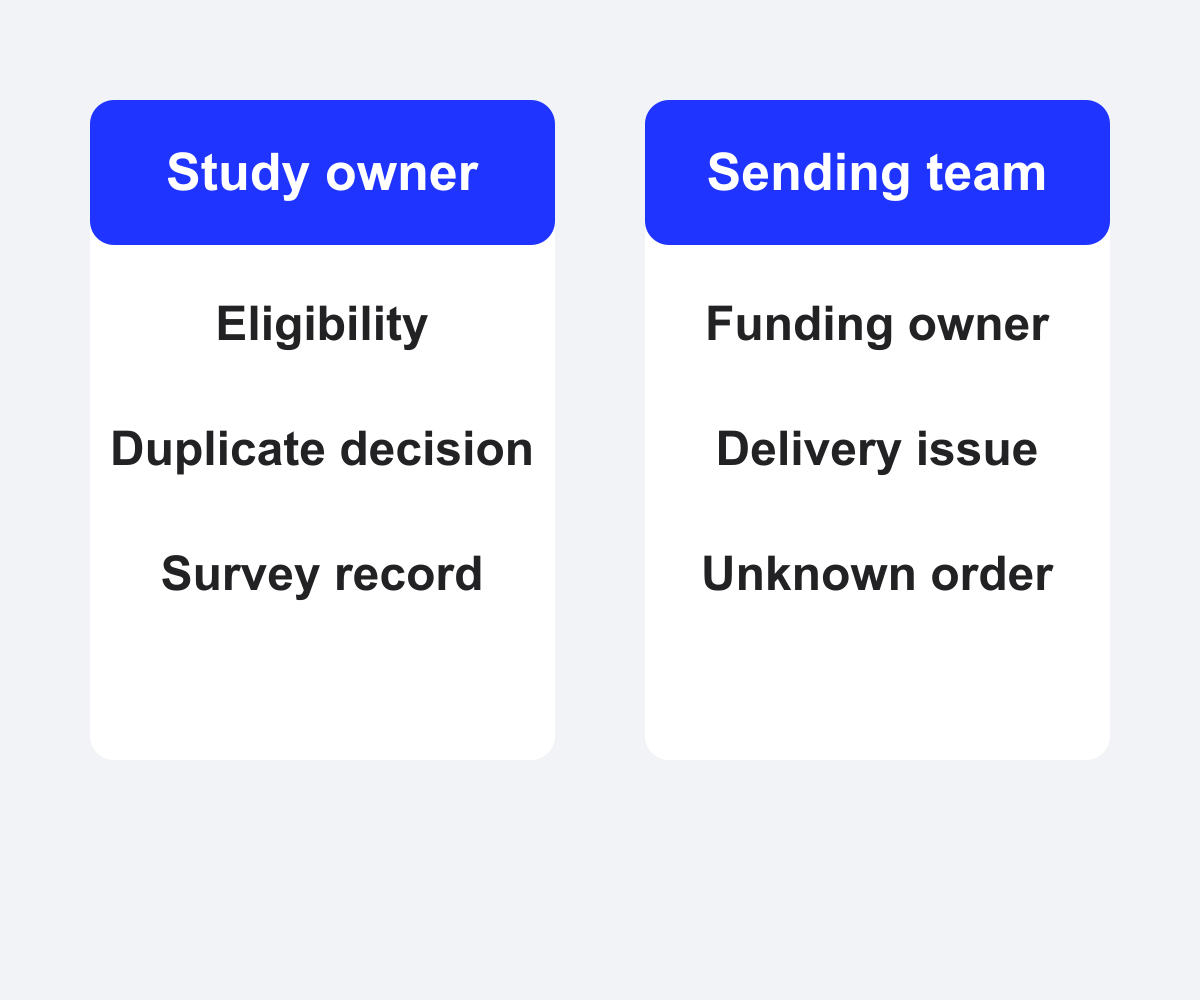
Eligibility is a study decision; reward operations need separate owners.
What should you track after sending?
Track delivery separately from redemption. For email orders, the Giftronaut Help Center describes “Sent” as acceptance by the recipient’s mail server and “Bounced” as an invalid or blocked address. A sender-owned reward-link workflow needs its own record for the channel used to share that link.
Keep delivery and bounce status separate from redemption status. Redemption status applies to orders with the Refund Option, not to every order. The Giftronaut Help Center’s order history report guidance (2026) describes full, filtered, and single-order exports.
A reconciliation record can include the response ID, internal request ID, order reference, reward amount, campaign, request time, delivery or bounce result, redemption result when applicable, exception owner, and reconciliation time. Keep survey answers and sensitive research data in the research system unless the workflow requires a specific field.
Budget for the request before enabling automation
Funding costs and reward costs belong in the launch plan. According to Giftronaut’s approved product facts (2026), credit card funding carries a 3% processing fee, while ACH and wire funding are free. State the funding method and fee in the team’s approval record before automatic sends begin.
For example, a $100 reward allocation funded by credit card has a $3 processing fee, making the funding total $103 before any separate product-specific terms. This is an example calculation, not a quote for every order.
Fulfilled orders cannot be canceled, exchanged, or refunded, while scheduled orders can be canceled before they send, according to Giftronaut’s approved product facts (2026). Confirm the order state before launching a resend or cancellation procedure.
Start with a controlled workflow
Select one survey, document its eligibility rule, and create a ledger that records one request ID per approved response. Keep approval enabled while testing a Zapier workflow, or follow the current Beta API documentation for the application path.
The first production decision is simple: do not retry an unresolved request until the order record and your ledger agree. That rule protects the study budget and keeps participant support traceable.
Frequently Asked Questions
How can I keep track of survey rewards sent through Zapier?
Payments triggered by Zapier appear on the Order Management page, according to the Giftronaut Help Center’s Zapier FAQ (2026). Join the order record to your study ledger with an internal request ID.
What does order approval do when testing survey reward automation?
Order approval places Zapier-triggered orders in the Pending Order List for review, according to the Giftronaut Help Center (2026). A test can use account funds.
What should I check if a survey reward Zap fails during testing?
Check the recipient details, selected campaign, and available account balance. Review the order result before repeating a request with an unknown outcome, as the Giftronaut Help Center (2026) advises.
Can I connect a survey tool to Giftronaut without building an API client?
Yes, a supported Zapier trigger can connect to a Giftronaut “Send Reward” action. Keep study eligibility and duplicate checks in your survey or application workflow, as described in the Giftronaut Help Center (2026).
What if an automated survey reward goes to the wrong email address?
Only the original sender can correct the address and resend the reward, according to the Giftronaut Help Center (2026). The original link remains valid after the correction.
How do I reconcile an unknown reward request before retrying?
Compare your internal request ID with the order history and available delivery result before creating another request. The Giftronaut Help Center’s order history guidance (2026) describes filtered and single-order exports for this review.